Episode 7: Why You Should Always Lock Your Phone
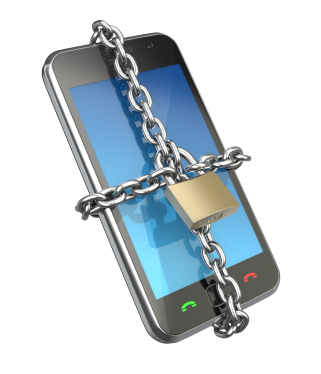
Welcome to another episode of FamilyCyber.ie — where we share simple digital safety habits and online privacy tips for those of us who want to make life harder for the digital Voldemorts out there.
🟢 This episode is based on the original Spanish version of CiberseguridadParaFamilias.com.
It’s been translated using AI so more people can access these tips in English.
🔒 Don’t Skip Locking Your Phone
Many people skip phone locks for convenience:
- ❓ “There’s nothing important on my phone.”
- ❓ “I always have it with me; I won’t lose it.”
- ❓ “It’s a hassle to enter a code every time.”
But your phone holds photos, messages, login info, banking apps… if someone finds it unlocked, they can access your life in seconds.
In this episode, I’ll explain why locking your phone is essential, how to do it easily, and which options are the most secure.
📱 What Happens If Someone Accesses an Unlocked Phone?
An unlocked phone lets someone:
- Read private messages (WhatsApp, SMS, email)
- View personal photos
- Impersonate you on social media
- Make purchases using saved payment methods
- Access banking apps and transfer money
Real example: In Spain, thieves target unlocked phones in cafés and terraces—some have emptied bank accounts in minutes.
Spending €1,200 on a smartphone means nothing if it’s unlocked—but a €30 phone with a lock is much safer.
🔒 How to Secure Your Phone
Activating a screen lock takes just seconds and prevents serious problems.
On Android:
Settings → Security → Screen lock. Choose PIN, password, pattern, and enable fingerprint or facial recognition if available.
On iPhone:
Settings → Face ID & Passcode (or Touch ID & Passcode). Choose a secure passcode.
Pro tip: Avoid easy PINs like “1234,” “0000,” or your birth year. Use at least a 7‑digit PIN or a passphrase.
Even if it takes an extra second, it’s worth it—much better than losing hours recovering your data.
🛡️ Most Secure Locking Methods
| Method | Security | Notes |
|---|---|---|
| Alphanumeric password | ✅ Most secure; slightly slower to enter | |
| PIN (7+ digits) | ✅ Strong and fast; better than patterns | Avoid obvious numbers like birthdays |
| Pattern lock | ⚠️ Convenient but easy to see or guess | Be cautious |
| Fingerprint | ✅ Fast but may not work if wet/dirty; always use backup PIN | |
| Face unlock | ⚠️ Convenient but older phones may be fooled; pair with PIN |
👨👩👧 Family Safety Tip
Teens often:
- Skip PINs for convenience
- Share passcodes with friends
- Leave phones unlocked in public, risking purchases or data access
Talk with your family about locking phones—digital safety is a shared responsibility.
🔐 Final Word
A device’s protection comes from your habits, not its price.
A €30 phone with a good PIN is safer than a €1,200 phone with no lock.
👉 Want to revisit this tip later or share it?
You can also find this episode on
familycyber.ie — your space for clear, no‑jargon digital safety.
This has been another episode of FamilyCyber.ie — where we share simple digital safety habits and online privacy tips for those of us who want to make life harder for the digital Voldemorts.